
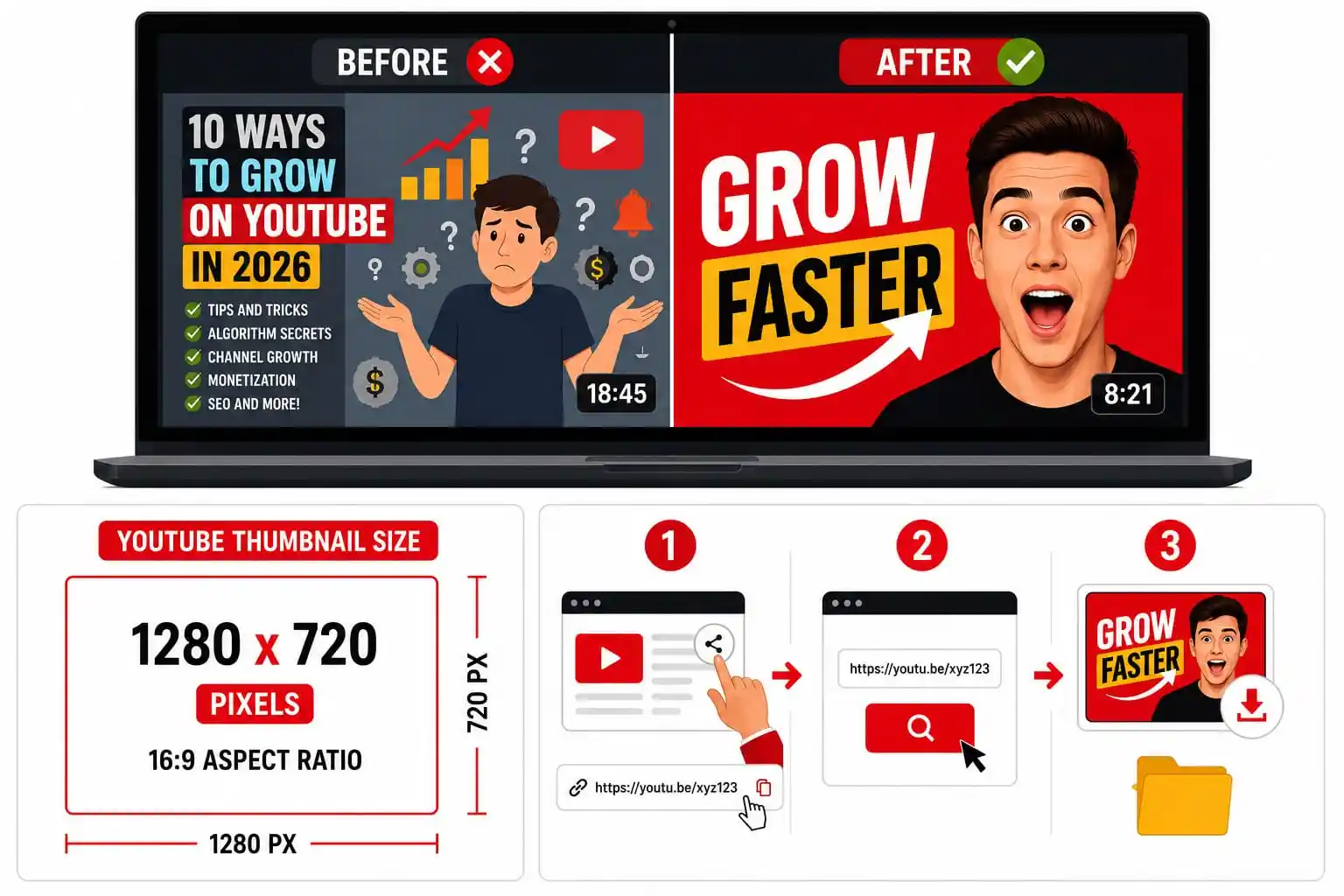
You can spend three weeks on a video and still lose to a worse video with a better thumbnail. That’s not fair. It’s just how YouTube works. Your thumbnail is a tiny billboard sitting next to 20 other tiny billboards in someone’s feed. They glance for half a second. Then they decide. I’ve watched creators change nothing but the thumbnail and double their views in a week. Same video. Same title. Same upload time
Why the thumbnail carries so much weight
YouTube tracks click-through rate. Two identical videos with different thumbnails can pull wildly different numbers, and the algorithm notices which one people actually click. Your title matters too. But people see the image before they read a single word
The right thumbnail size
YouTube’s spec: 1280 x 720 pixels 16:9 ratio Under 2MB JPG, PNG, or GIF Drop below 640 pixels wide and it blurs on a big screen. Go bigger than the spec and YouTube compresses it down anyway. A quick test: shrink the image to phone size. Can you still read it? If not, redo it
What actually gets clicked
Faces work
A raised eyebrow or an open mouth grabs attention before the title even loads. Human brains lock onto faces first.
Contrast beats color
A white arrow on a dark background reads instantly. That same arrow on light gray disappears.
Fewer words, bigger impact
Two or three words, max. Look at any big channel: “I QUIT.” “$1,000,000.” No sentences crammed into a small box.
Consistency builds recognition
Same font, similar layout, video after video. Viewers spot your channel before they even read your name.
How to download a YouTube thumbnail
Say you want to study a top creator in your niche. Or you’re writing a blog post and need a preview image. YouTube doesn’t hand you a download button. The file sits on their servers, and there’s no built-in way to grab it.
I use thumbnail download tool for this. Paste the link, pick a resolution, save the file. No signup, no app, no watermark.

- 1.Copy the video URL
- 2.Paste it into the thumbnail downloader
- 3. Pick HD and save
It works on Shorts too. The tool figures out the format on its own.
Mistakes beginners make
Clickbait that doesn’t match the video wins the click once. It loses the algorithm’s trust after that, because YouTube tracks whether people bail in the first 10 seconds. Cramming five elements into one frame (a face, three lines of text, an arrow, a logo) means none of them win. Pick one focal point. Designing only on a desktop monitor is a trap. Over 70% of watch time happens on phones. Copying a bigger channel’s exact layout makes you the knockoff in someone’s feed. Study their choices. Don’t trace them.
Tools worth having
Canva, for building thumbnails fast without a design background. A thumbnail downloader, for reference images and backups. YouTube Studio’s built-in A/B test feature. Upload two versions, let it split traffic, keep the winner.
Where to start
Pick one video you admire. Pull the thumbnail. Spend f ive minutes looking at it: where’s the face, where’s the text, what does your eye land on first?
Then build your own. Your first one probably won’t be great. Your tenth one will be a lot sharper.


