
For years, Shorts creators had zero control over their thumbnail. YouTube picked a frame from the video, and that was final. That changed on July 24, 2026, when YouTube CEO Neal Mohan announced that custom thumbnails for Shorts are rolling out to YouTube Partner Program creators, reversing a stance YouTube had held since 2023. Here’s exactly what changed, the correct thumbnail dimensions, and how to view or save the cover image for any Short.
What actually changed on July 24, 2026
YouTube’s update has three parts, and it’s worth separating them since they don’t all apply to every creator:
- Custom thumbnail uploads for Shorts. Eligible creators can now upload their own image as a Short’s thumbnail, the same way long-form video thumbnails have always worked.
- Three suggested frames on desktop. If you don’t want to upload a custom image, YouTube now offers three auto-selected frame options to pick from. Previously you were stuck with whatever frame the system chose.
- No native A/B testing yet. Unlike long-form thumbnails, Shorts thumbnails cannot currently be split-tested through YouTube’s built-in testing tools.
This closes a gap creators had been asking about since Shorts launched globally in 2021. YouTube had explicitly said in 2024 that custom Shorts thumbnails weren’t planned.
Who actually has access right now
This is the part general coverage tends to gloss over, and it matters if you’re trying to use the feature yourself:
- Access is currently limited to creators in the YouTube Partner Program (YPP).
- The rollout started on desktop. Mobile app access wasn’t part of the initial announcement.
- YouTube has said access will expand to more creators over time, without a confirmed date for full availability.
If you don’t see a custom thumbnail option yet in YouTube Studio, that’s expected. It doesn’t mean anything is broken on your end. Check back in Studio periodically rather than assuming your account has been excluded permanently.
What a Shorts thumbnail actually controls

This is the detail that trips people up most: a custom Shorts thumbnail does not change anything inside the vertical Shorts feed itself. The feed still autoplays and behaves exactly as before. What the thumbnail controls is how the Short appears everywhere outside that swipe feed: search results, your channel page, subscriptions, playlists, and the homepage. If you’re publishing both long-form videos and Shorts, this finally lets your channel page look visually consistent instead of mixing designed thumbnails with random auto-grabbed frames.
Correct YouTube Shorts thumbnail dimensions
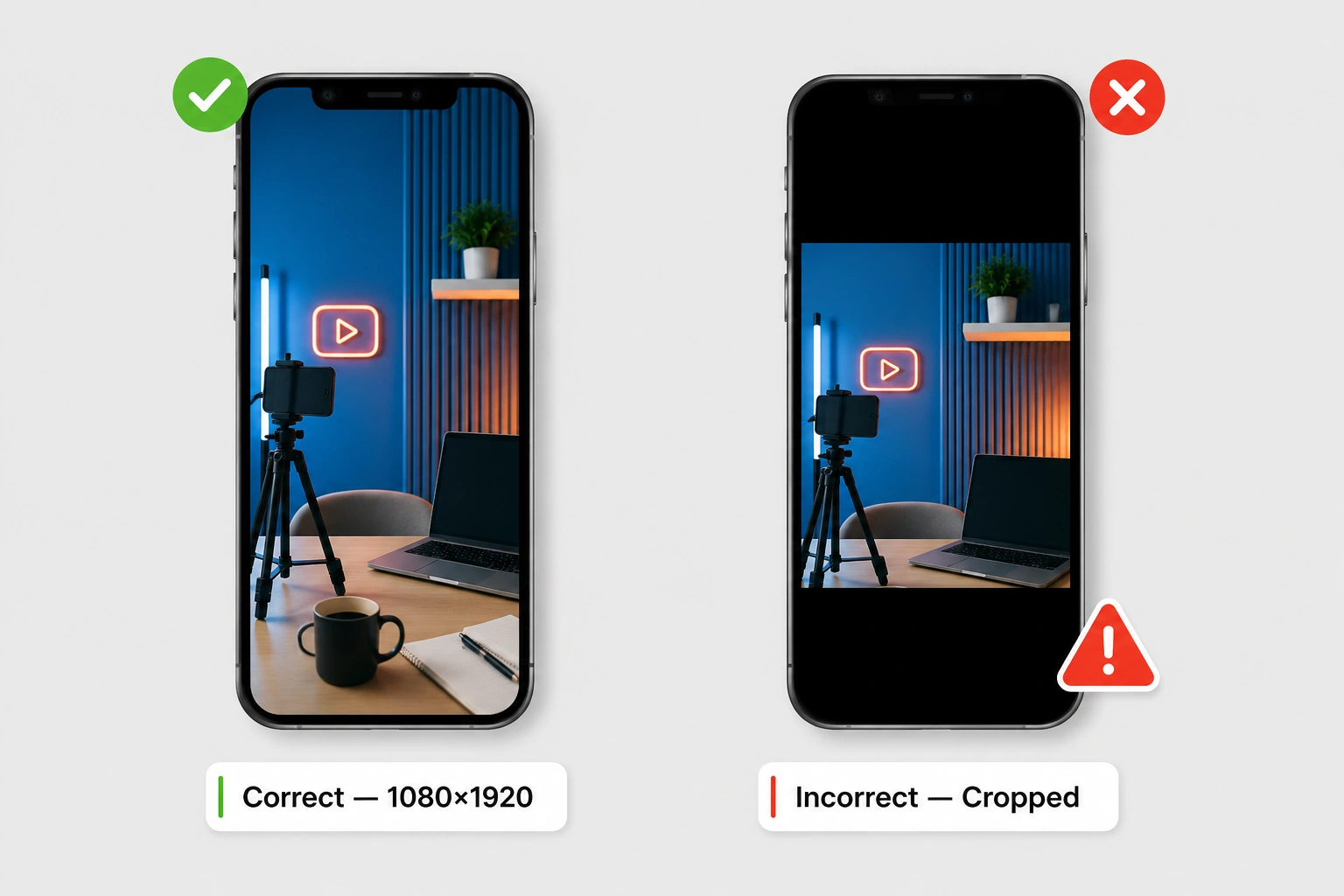
There’s real inconsistency across the web on this, so here’s the clear version: YouTube Shorts thumbnails use a vertical 9:16 aspect ratio, at 1080×1920 pixels. This is the opposite orientation of standard YouTube’s 16:9 landscape format, and it matches the vertical canvas used by other short-form video platforms.
The confusion in a lot of older articles comes from the fact that, before this update, Shorts thumbnails were effectively just an auto-selected frame governed by the same underlying system as long-form video, so some guides never separated the two and kept repeating the 1280×720 landscape spec for Shorts too. With custom uploads now part of the picture, the vertical 1080×1920 spec is the one to design for.
Design practically: build the image vertically from the start rather than cropping a horizontal thumbnail down to size. Cropping after the fact tends to cut off faces, text, and key details that were positioned for a wide frame.
How to view or download a YouTube Shorts thumbnail
If you want to study a Short’s cover image for reference, competitor research, or your own backups, the process is the same as any other video on this site: paste the Shorts link into the YouTube Thumbnail Downloader, and the tool detects it’s a Shorts URL automatically without needing you to specify the format. This works whether the Short is using a newly uploaded custom thumbnail or one of YouTube’s auto-selected frames. The tool pulls whatever image is currently set as that Short’s cover.
One honest limitation worth flagging: the exact internal file structure YouTube uses to serve the vertical crop specifically for Shorts isn’t something YouTube documents publicly, and reports on it elsewhere are inconsistent. NOT VERIFIED. Rather than guess at undocumented URL patterns, the reliable approach (and what this tool handles for you) is requesting the thumbnail through the video ID and letting the CDN return whichever version is actually available, rather than assuming one fixed filename will always work for every Short.
Why a Shorts thumbnail sometimes looks cropped or wrong
A few common causes, in order of likelihood:
- The custom thumbnail feature isn’t available on that channel yet. If a creator isn’t in YPP or hasn’t received the rollout, you’re seeing YouTube’s auto-selected frame, not a deliberate design choice.
- A horizontal image was force-fit into a vertical space. If a creator tried to reuse a 16:9 long-form thumbnail for a Short, YouTube will letterbox or crop it awkwardly rather than displaying it cleanly.
- The image hasn’t finished processing. Right after a change, it can take a short while for the new thumbnail to propagate across search results, channel pages, and subscriptions.
Frequently asked questions
Can I add a custom thumbnail to my YouTube Shorts right now?
Only if you’re in the YouTube Partner Program and have received the rollout, which started on desktop on July 25, 2026. YouTube has said access will expand to more creators over time.
Does a Shorts thumbnail change what people see while swiping through the Shorts feed?
No. It only affects how the Short is represented outside the feed: in search results, on your channel page, in subscriptions, and in playlists.
What size should a YouTube Shorts thumbnail be?
1080×1920 pixels, a 9:16 vertical aspect ratio. Design it vertically from the start rather than cropping a horizontal thumbnail down.
Can I still download or view a Shorts thumbnail if the creator hasn’t set a custom one?
Yes. The tool pulls whatever image is currently set as the cover, whether that’s a custom upload or one of YouTube’s auto-selected frames.
Is there a way to A/B test Shorts thumbnails like long-form video thumbnails?
Not yet. YouTube’s July 2026 announcement did not include native A/B testing for Shorts thumbnails.


